
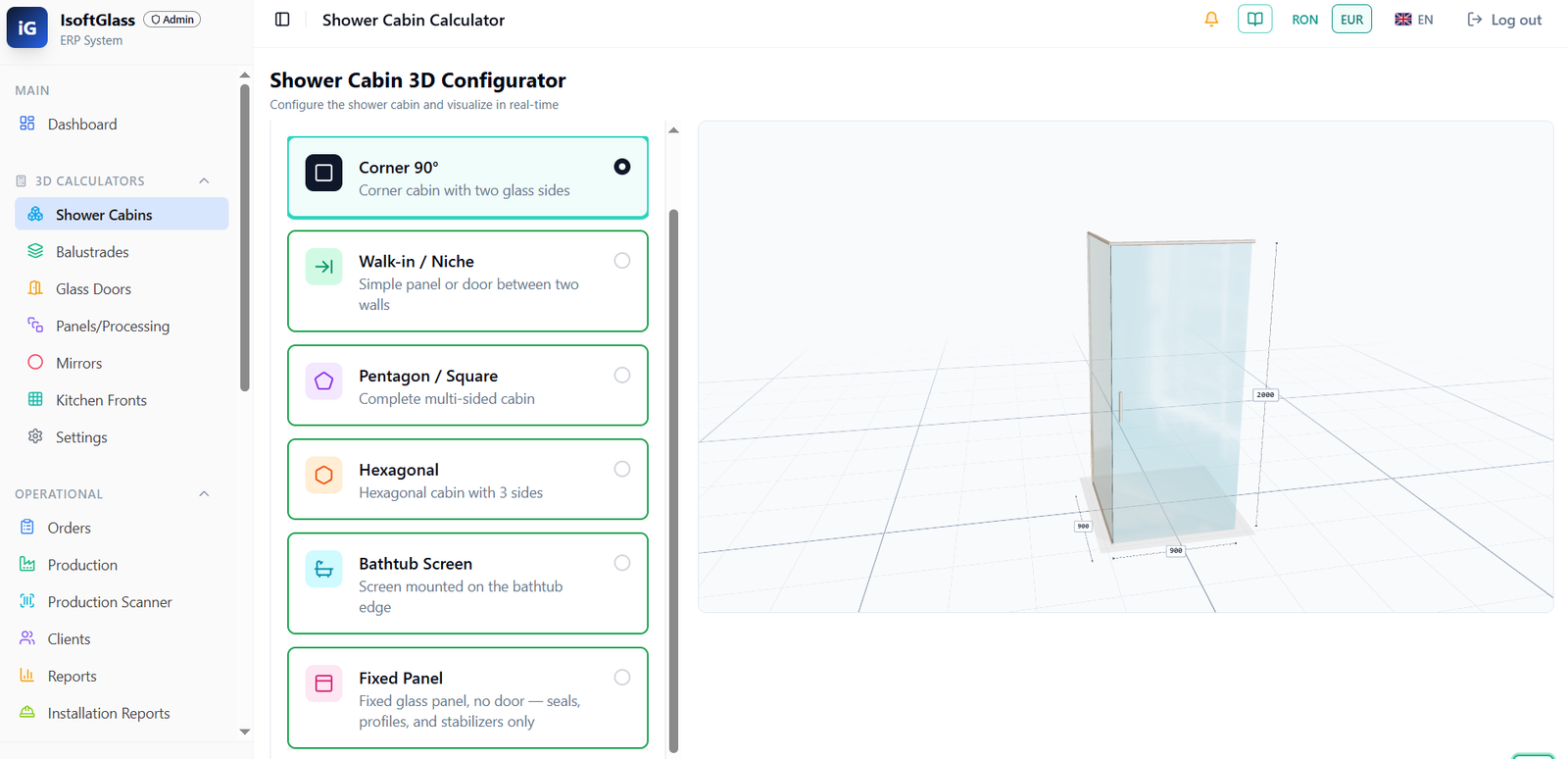
A customer asks for a price on a shower cabin, a balustrade or a glass door. With paper measurements and a spreadsheet, the answer takes hours and the sketch is hard to read. With glazing software with live 3D, you type the dimensions and watch the model take shape while the price follows.
This guide explains how it works, what it changes and what to check before you choose.
By the iSoftGlass team · Updated October 2026 · 6 min read
What is glazing software with live 3D?
Glazing software with live 3D lets you configure a glass product by choosing a model, entering dimensions and picking options, while a 3D model redraws on screen at each change. The same entries drive the price, the materials list and the data the workshop needs, so nobody redraws or retypes. It is the visual side of glass calculation software and part of glass manufacturing software for glass processors and installers.
Quick answers
- What it does: turns dimensions and options into a live 3D model, a price and a production-ready data set.
- Who uses it: glass installers and processors who quote shower cabins, balustrades, glass doors, panels, mirrors and kitchen fronts.
- What it replaces: paper measurements, hand sketches and separate price spreadsheets.
- What to check: does the model update as you type, and does the price follow the same entries?
- In iSoftGlass: six 3D calculators from €60 per month in October 2026, with a 14-day free trial.
How does live 3D drawing work in glazing software?
The flow is the same for every product. You work in one screen, with the settings on one side and the 3D model on the other.
- Choose the product and model, for example a corner shower cabin or a straight balustrade.
- Enter the dimensions and options, such as width, height, glass thickness, hinges, handles and finish.
- Watch the 3D model update with every change, with dimension labels on the drawing.
- Read the price that comes from the same entries, then turn it into a quote.
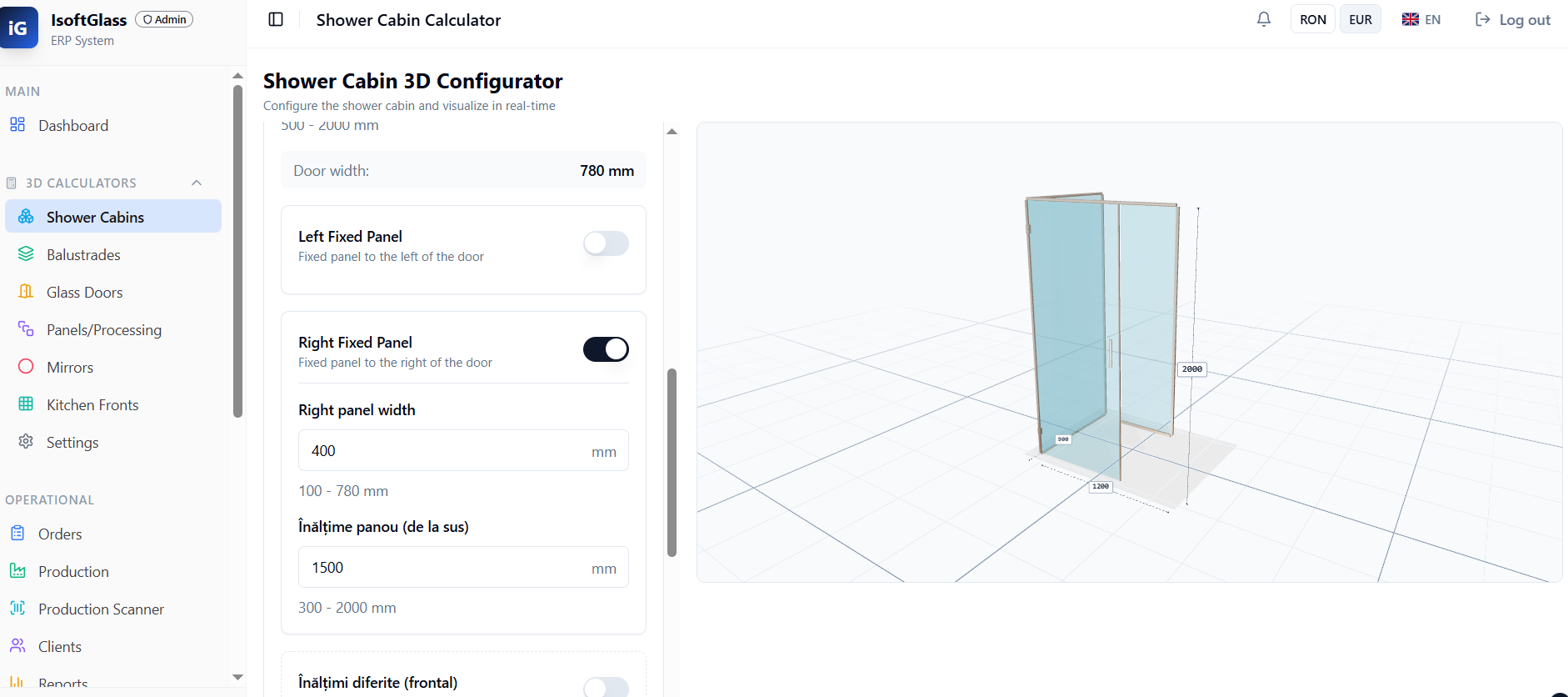
The customer sees what they are buying, and your team sees exactly what to make.
What does live 3D change in quoting?
| Step | Without live 3D | With live 3D |
|---|---|---|
| Understanding the job | Measurements on paper, a sketch by hand. | A 3D model with dimension labels. |
| Pricing | Looked up in a spreadsheet, retyped into the quote. | Calculated from the same entries as the model. |
| Changes | Redraw and recalculate. | Change a value and the model and price update. |
| Hand-off to the workshop | Re-explained or retyped. | Same data carried into the order. |
Pricing rules and the PDF quote are covered in the guide to glass calculation software. Here the focus is on the drawing.
Which glass products can be configured in 3D?
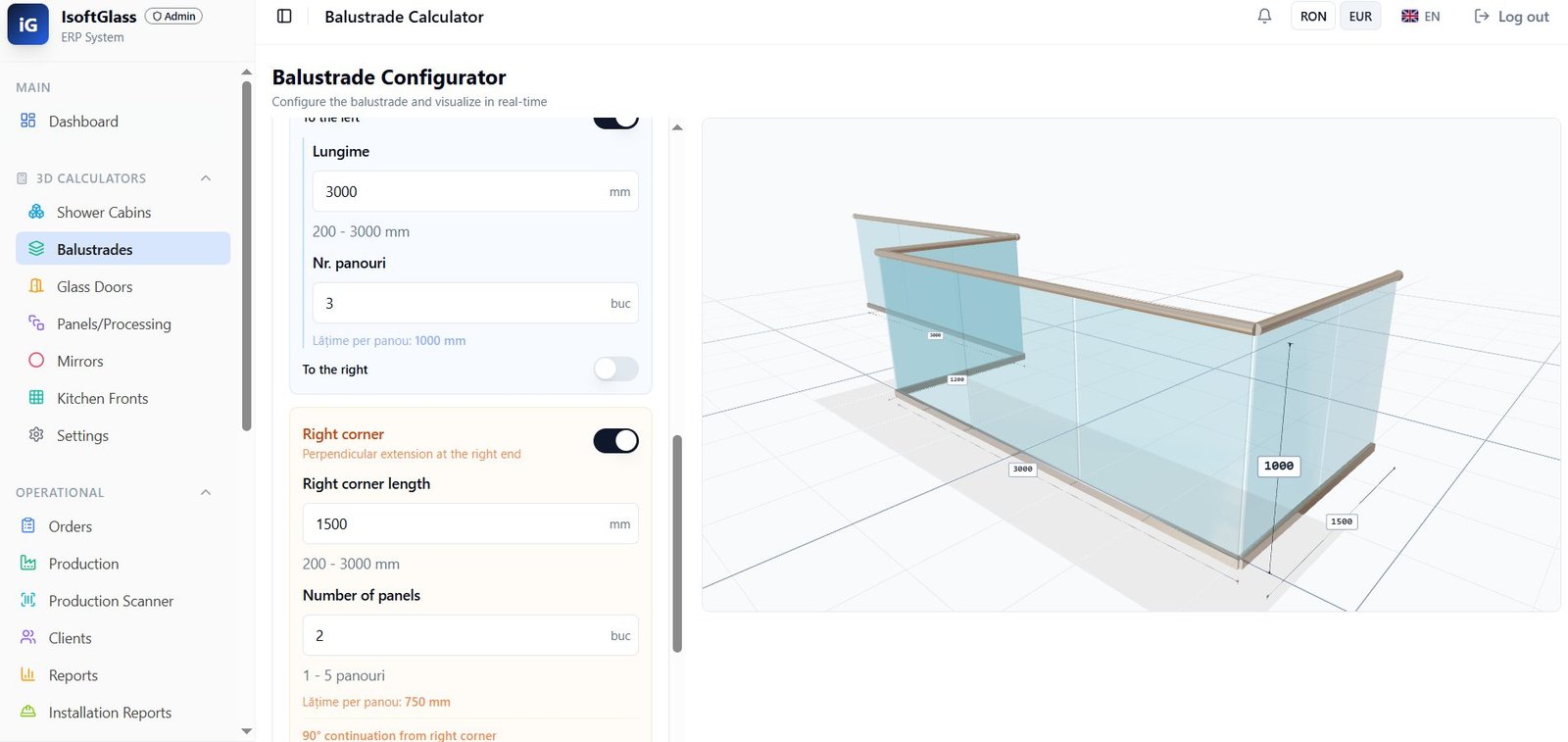
iSoftGlass groups six calculators under a section called 3D calculators. Facts below come from the iSoftGlass website and application in October 2026.
| Calculator | What you configure |
|---|---|
| Shower cabins | Model, dimensions, hinges, handles, glass and finish. |
| Balustrades | Straight runs and corners, panel counts and lengths. |
| Glass doors | Door type, such as hinged, pivot or sliding, and its dimensions. |
| Panels / processing | Panels and processed glass. |
| Mirrors | Mirrors in a step-by-step flow. |
| Kitchen fronts | Glass kitchen fronts. |
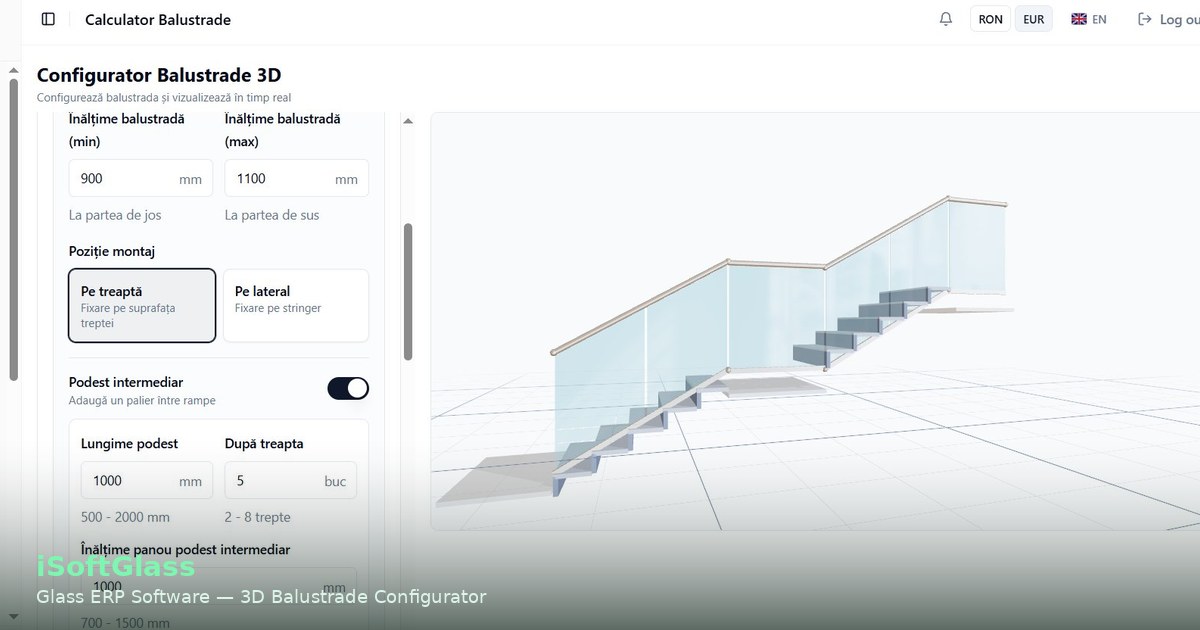
Stairs add another layer: the same configurator handles a balustrade that follows a staircase, and the 3D view shows the whole layout before anything is cut.
From 3D drawing to the workshop
A drawing is only useful if production can use it. In the Processing plan, iSoftGlass generates a processing sheet for the workshop from the confirmed order. It lists the glass dimensions, thickness and type, the hardware with codes and quantities, and a dimensioned drawing that can be exported or printed.
Because the sheet comes from the same data as the quote, nothing is retyped between sales and the workshop. Cutting plans are covered in the guide to glass cutting optimization software.
What to check in glazing software with live 3D
| Question | Why it matters |
|---|---|
| Does the model update as you type? | A drawing that needs a refresh is a picture, not a configurator. |
| Does the price follow the same entries? | Two sources of truth lead to quotes that do not match the model. |
| Are hardware and options included? | Hinges, handles and finishes change both the look and the cost. |
| Does it feed production? | A drawing that stops at the quote means retyping later. |
| Does it cover the products you sell? | Check shower cabins, balustrades, doors, panels, mirrors and kitchen fronts one by one. |
| Can you try it on your own jobs? | A trial tells you more than a demo video. |
Live 3D is not unique to one vendor. When comparing glazing software, look beyond the visual model: check whether the same configuration also drives pricing, quotation data and workshop documentation. The important question is which system best matches the products your company actually sells.
See your own product in 3D.
Start the 14-day free trial and configure a real job.
Glazing software with live 3D in iSoftGlass
iSoftGlass is cloud-based glass software built only for glass processors and installers. It combines the 3D calculators with orders, production and stock in one application.
| Plan | Price per month | What it adds |
|---|---|---|
| Calculators | €60 | Six 3D calculators, PDF quotes, client management and price settings |
| Calculators + Operations | €100 | Orders, production, barcodes, inventory, reports |
| Calculators + Operations + Processing | €150 | Processing sheets, CAD editor, cutting optimization |
All plans include support, backups and multiple users, with no setup fees and cancellation at any time. A 14-day free trial is available at app.isoftglass.com. For the choice between tools, see the guide to the best software for glass, and for the whole system, the guide to glass ERP software.
Who may not need glazing software with live 3D?
- Businesses that sell only standard items from a price list. If nothing is made to measure, a catalogue may be enough.
- Companies making windows and doors in aluminium or PVC. The iSoftGlass calculators cover the glass products listed above, so check your product range first.
- Teams that do not quote custom work. Live 3D pays off when each job is different.
Glazing software with live 3D: frequently asked questions
The basics
What is glazing software with live 3D?
Glazing software with live 3D lets you configure a glass product by entering dimensions and options while a 3D model redraws on screen. The same entries drive the price, the materials list and the data for production.
What products can I configure in 3D with iSoftGlass?
iSoftGlass lists six calculators: shower cabins, balustrades, glass doors, panels, mirrors and kitchen fronts.
Does the price update when I change a dimension?
iSoftGlass states that changing a dimension updates the quote, the bill of materials and the production order, because they share the same data.
Plans and trial
How much does it cost?
iSoftGlass lists three monthly plans in euros in October 2026: €60 for the calculators, €100 with operations and €150 with processing. There are no setup fees and you can cancel anytime.
Is there a free trial?
Yes. iSoftGlass offers a 14-day free trial. You can create an account at app.isoftglass.com and configure a real job before choosing a plan.
Production and setup
Does it produce a workshop sheet?
In the Processing plan, iSoftGlass generates a processing sheet with glass dimensions, thickness, type, a hardware list with codes and quantities, and a dimensioned drawing to export or print.
Do I need to install anything?
iSoftGlass is cloud-based. You sign in at app.isoftglass.com and work in the browser.
Does it work in my language?
iSoftGlass offers an interface in 11 languages in every plan.
Configure your first job in 3D
Create your account, choose a product and watch the model and price update. No setup fees. Cancel anytime.
Sources: iSoftGlass – Pricing · iSoftGlass – Operational module. Prices checked October 2026.